
Rent compute by the hour, or sell the GPU time your machine is already wasting. Two sides of a marketplace folded into one mobile app, so training a model costs what an hour of someone else's idle hardware is worth.
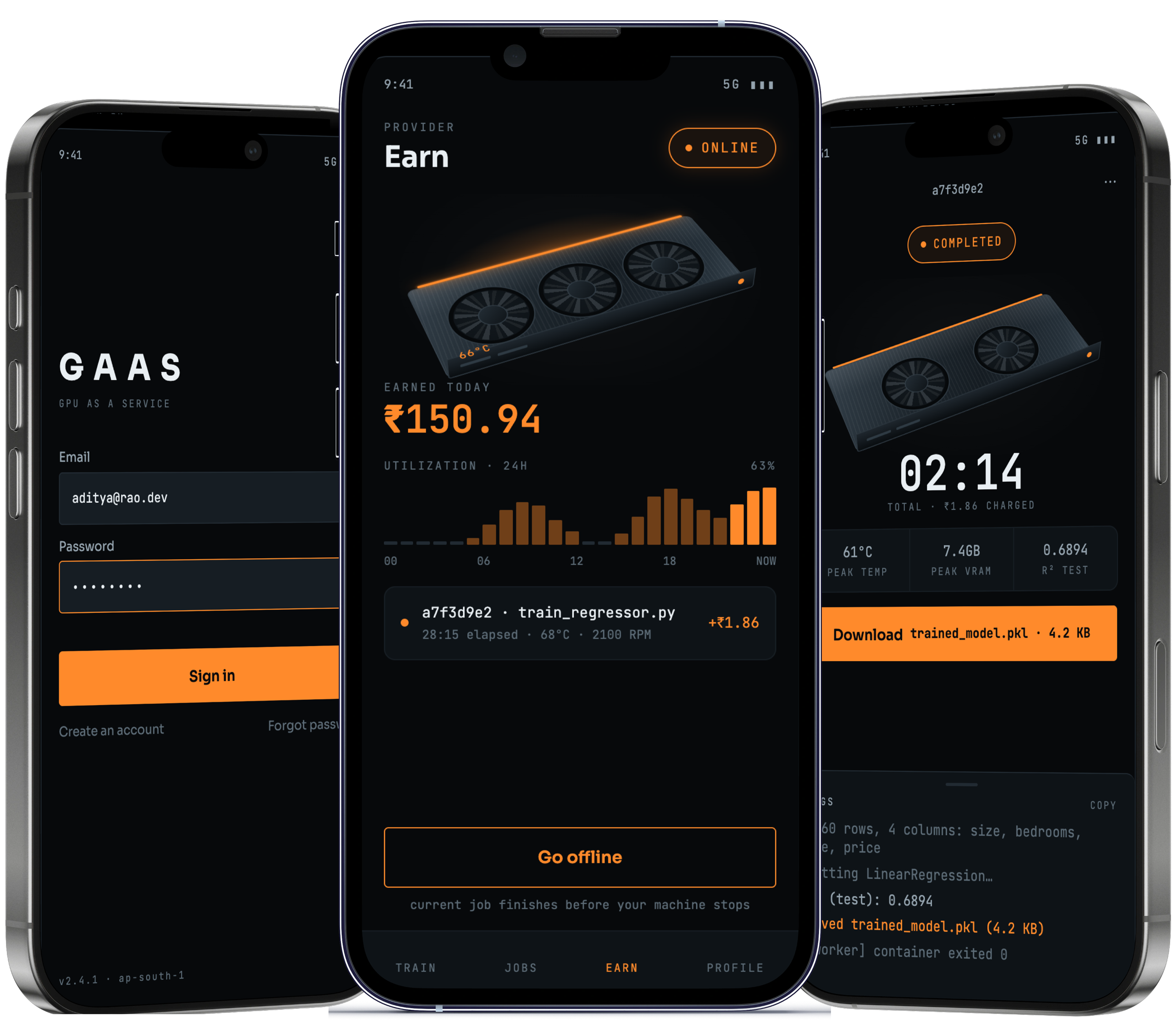
Training a model needs a GPU. Cloud GPUs are priced for companies, and buying a good card costs more than most students and small teams can spend, so the work stops before it starts. Meanwhile plenty of capable GPUs sit idle in ordinary machines for most of the day.
Two people meet in this app. Karan is the developer we designed around: a final-year student with no dedicated GPU, so his thesis model takes eleven hours on a laptop and every cloud quote costs more than a month of rent. Nikhil is the other half. He built a desktop around an RTX 4070 for games, and it earns nothing while he is at work.
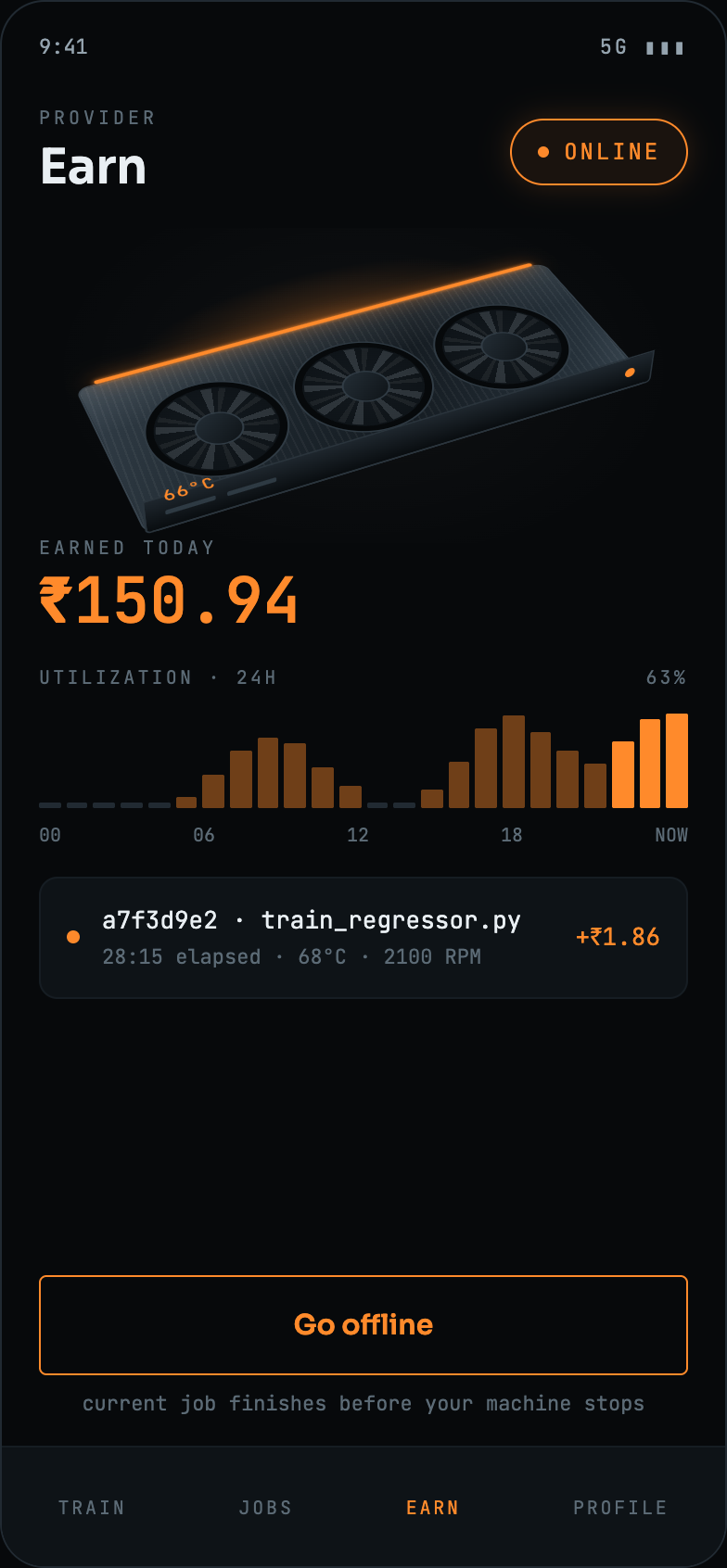
So we built one app that serves both of them. Karan picks a GPU tier, sees the price per hour before he starts, watches the run and downloads the trained model at the end. Nikhil turns on provider mode, goes online, and his card picks up the job: the same app, seen from the other side.

Renting a stranger's GPU asks a lot of trust. Four decisions did most of the work of earning it.
Cloud GPU pricing is quoted per hour but billed after the fact, so committing to a run means committing to a number you won't know until it ends.
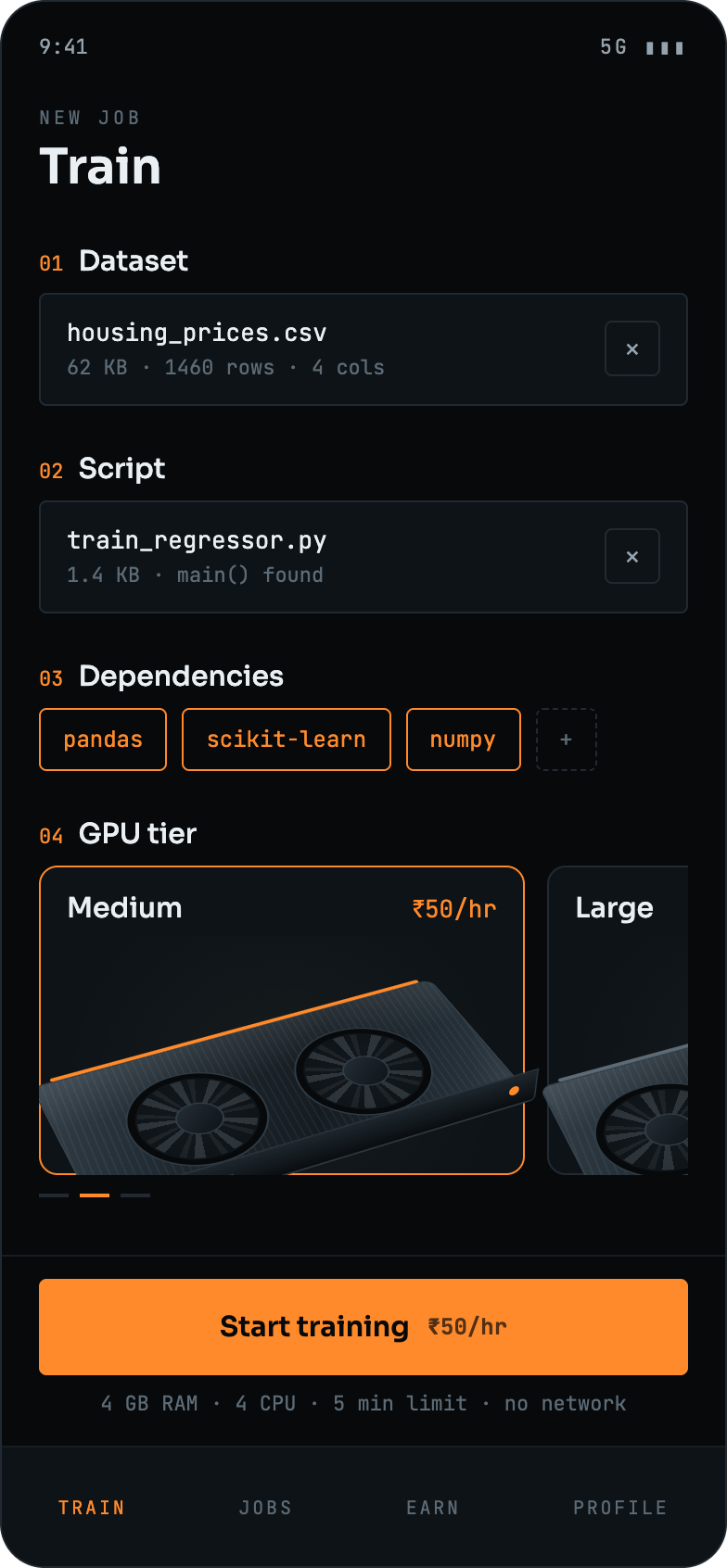
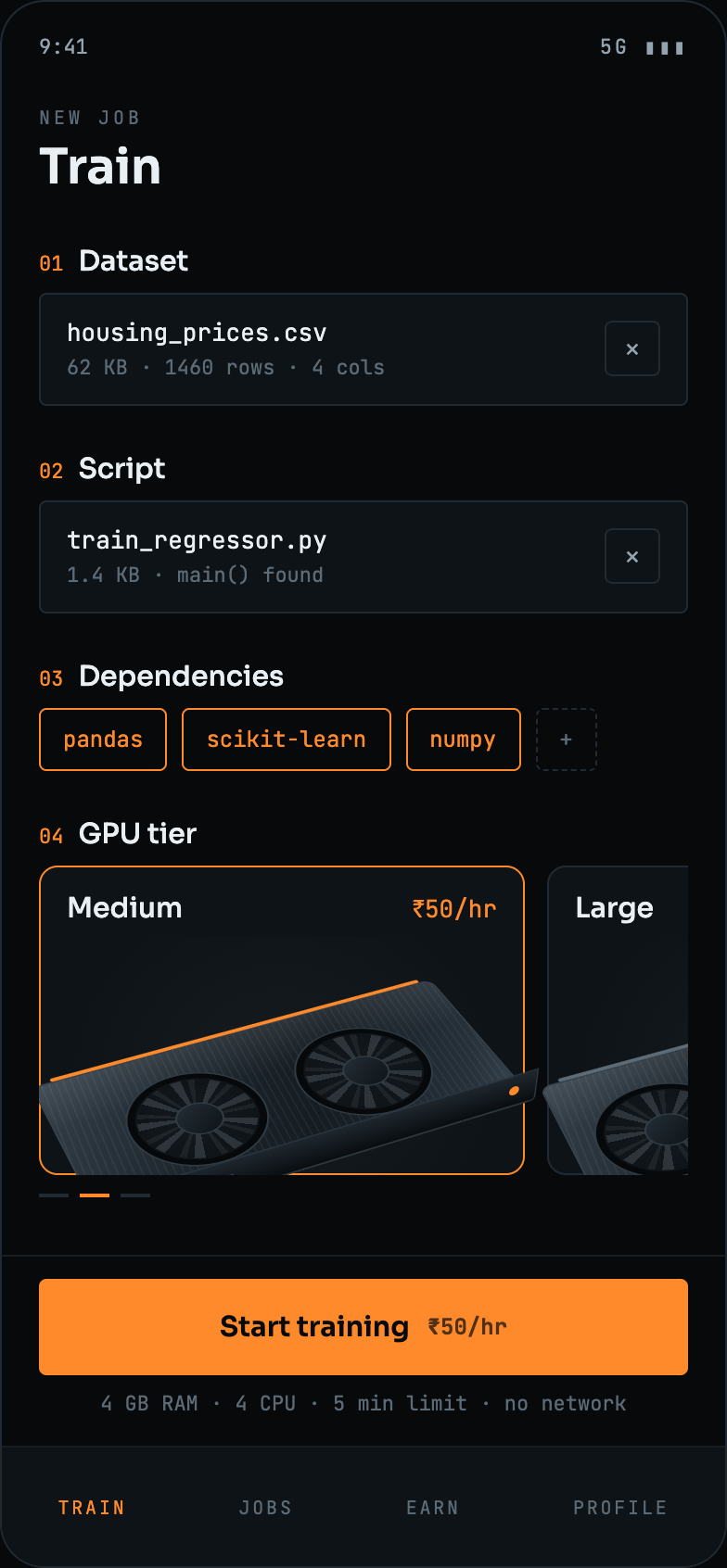
The tier picker prices each GPU on its own card, and the rate rides on the button itself. It reads "Start training ₹50/hr", not "Start training". Nothing starts before the price is on screen.
A job dying to a stack trace on a machine you can't reach is the fastest way to lose a user, especially one who is new to training models.
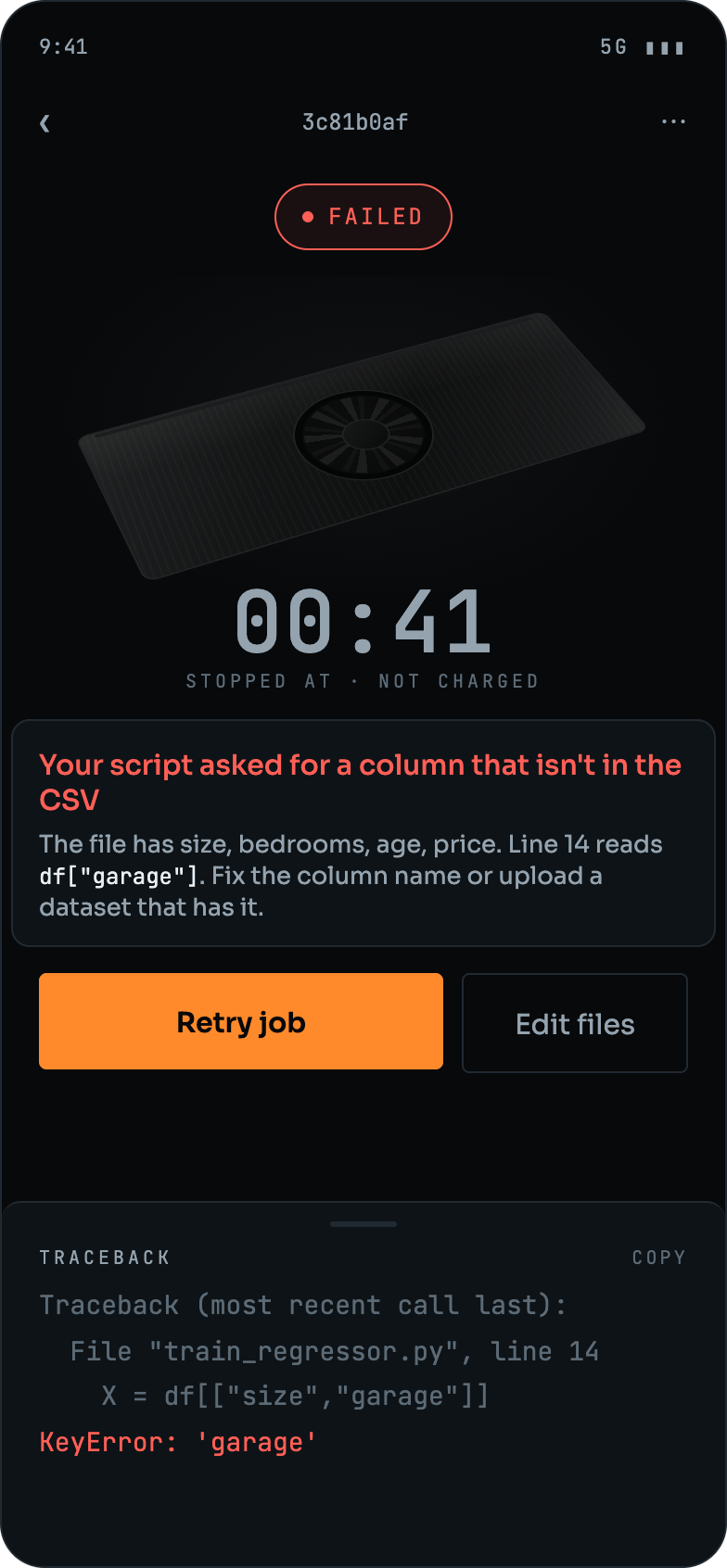
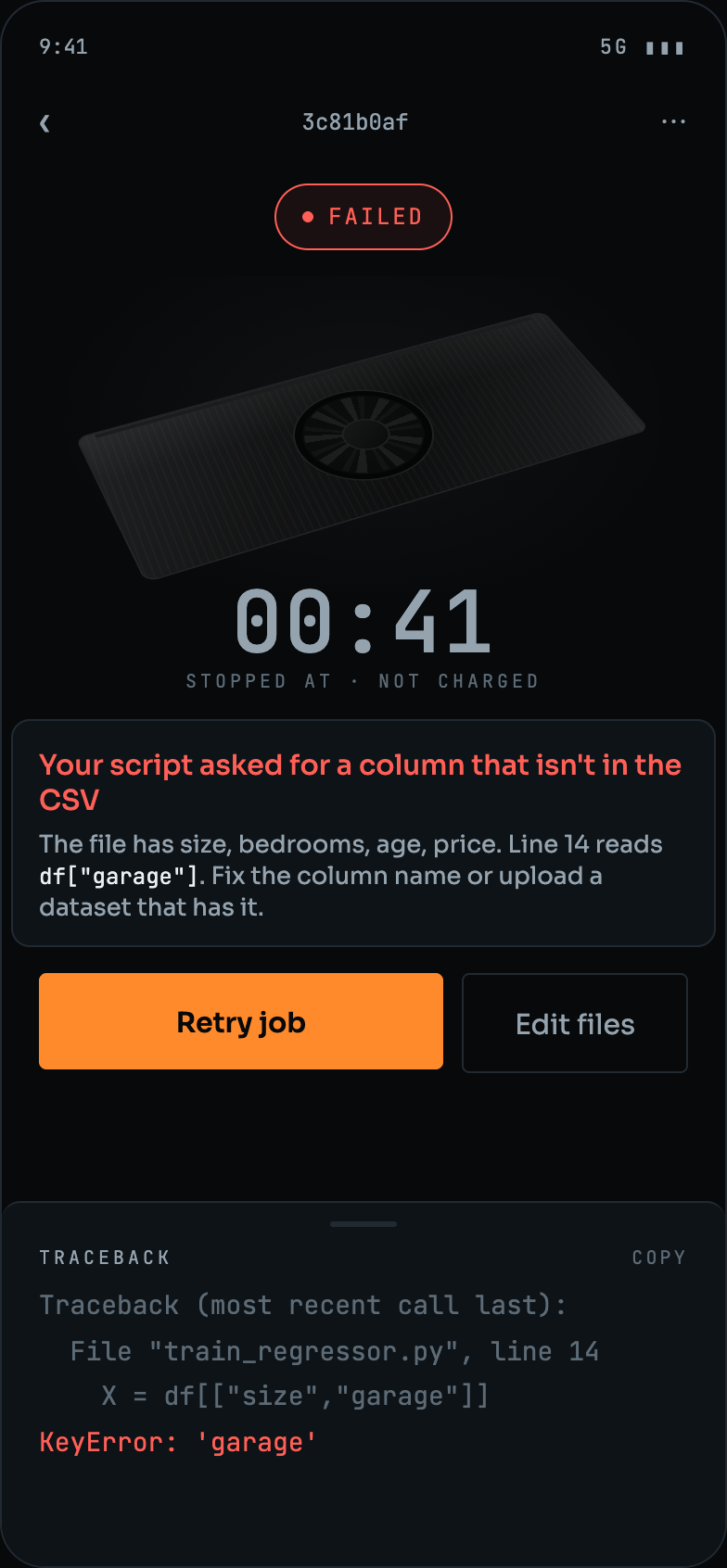
A failed run leads with the error in plain English, names the columns the file actually has, and marks itself not charged. The raw traceback sits below it for anyone who wants it, next to Retry job and Edit files.
Preparing a workload usually means a container, an environment file and a queue system before a single line of the model runs.
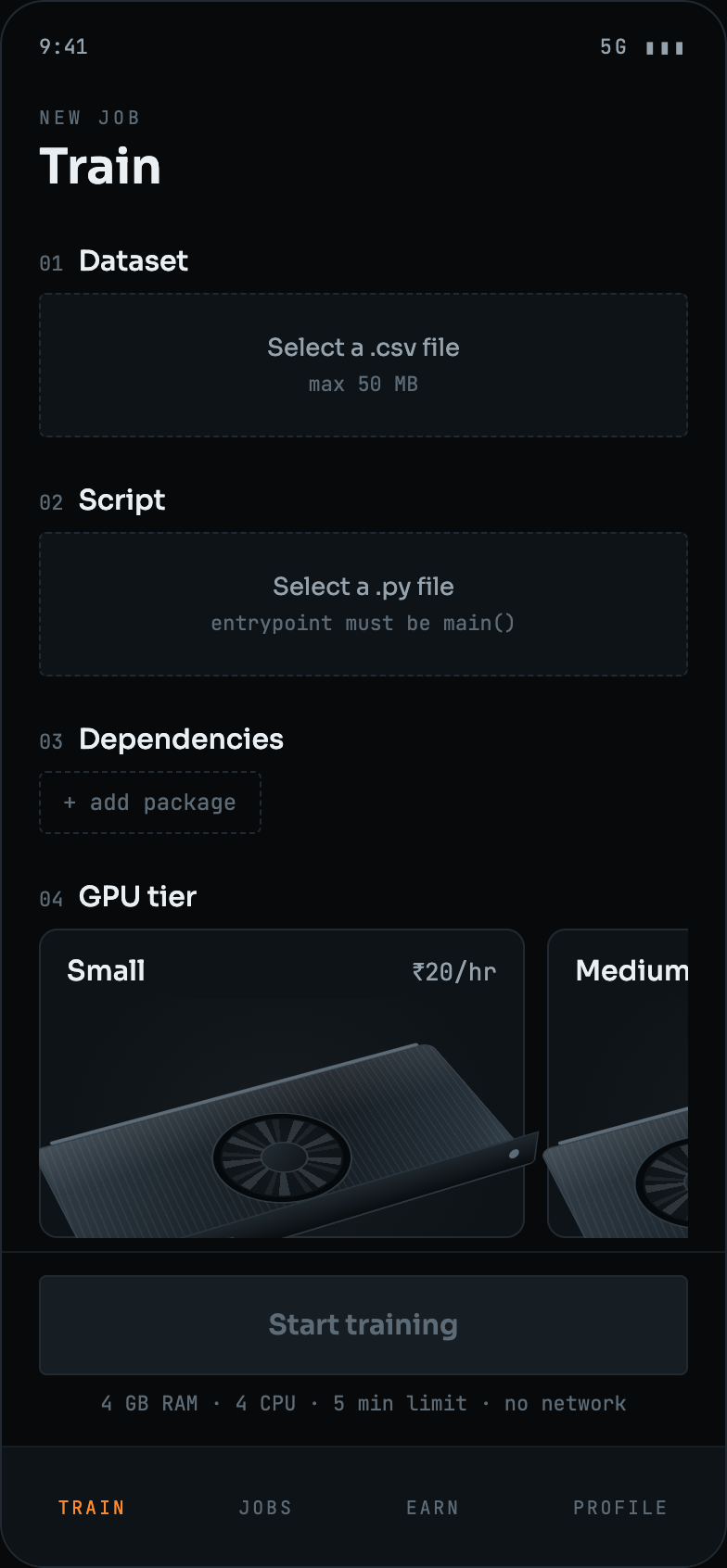
Three inputs and nothing else: a .csv, a .py with a main(), and packages added as chips. Each one validates in place: the dataset shows its rows and columns, the script confirms main() was found.
Most personal machines have a capable GPU that does nothing for the majority of the day, and no simple way to let it work for someone else.
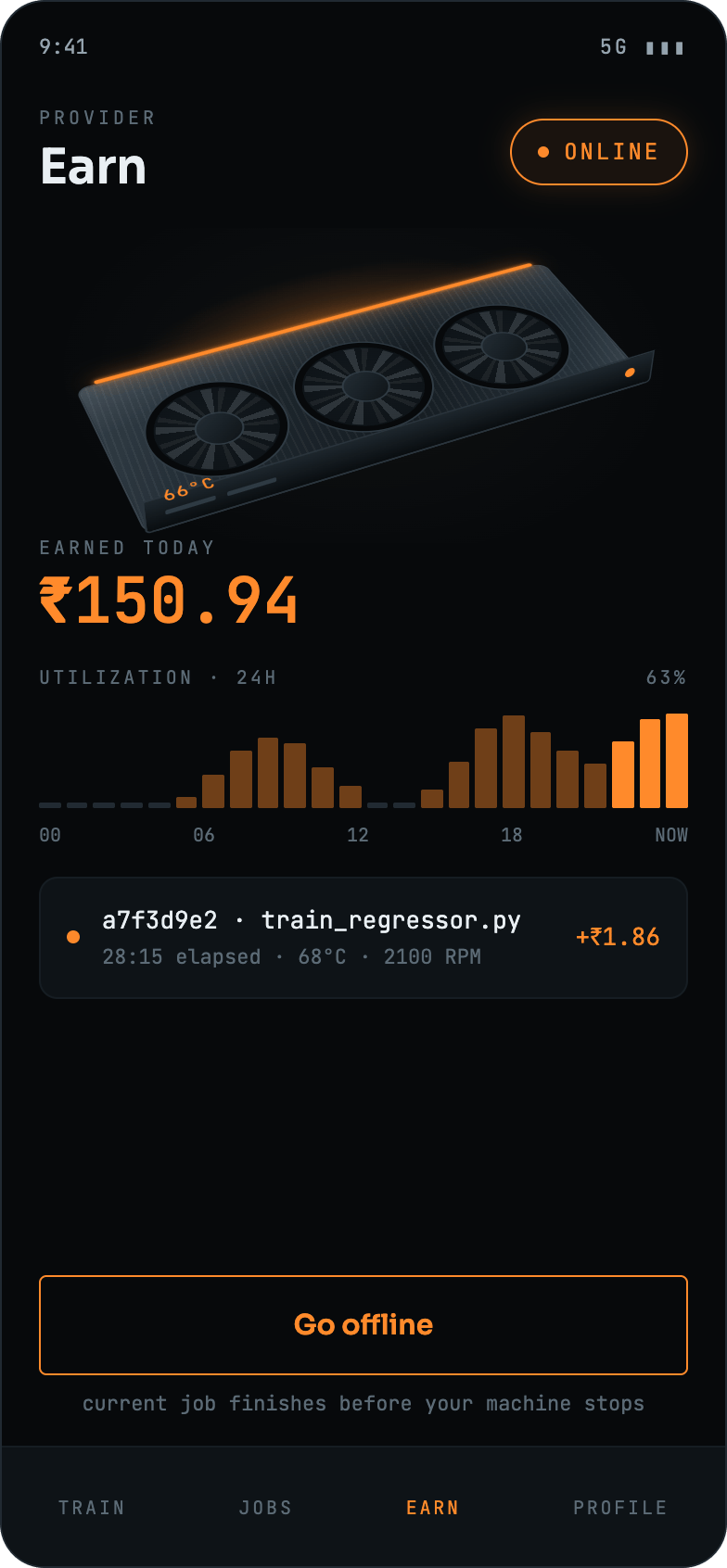
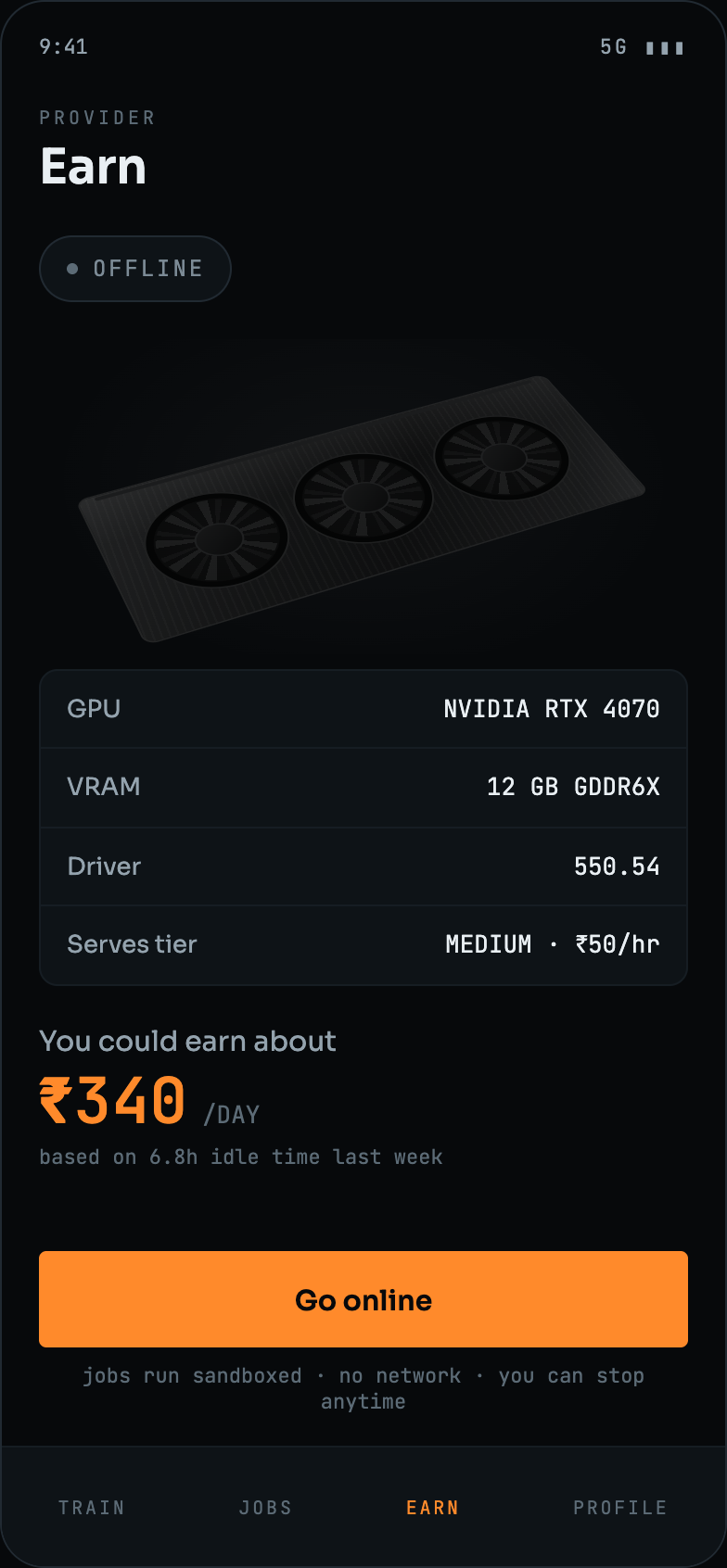
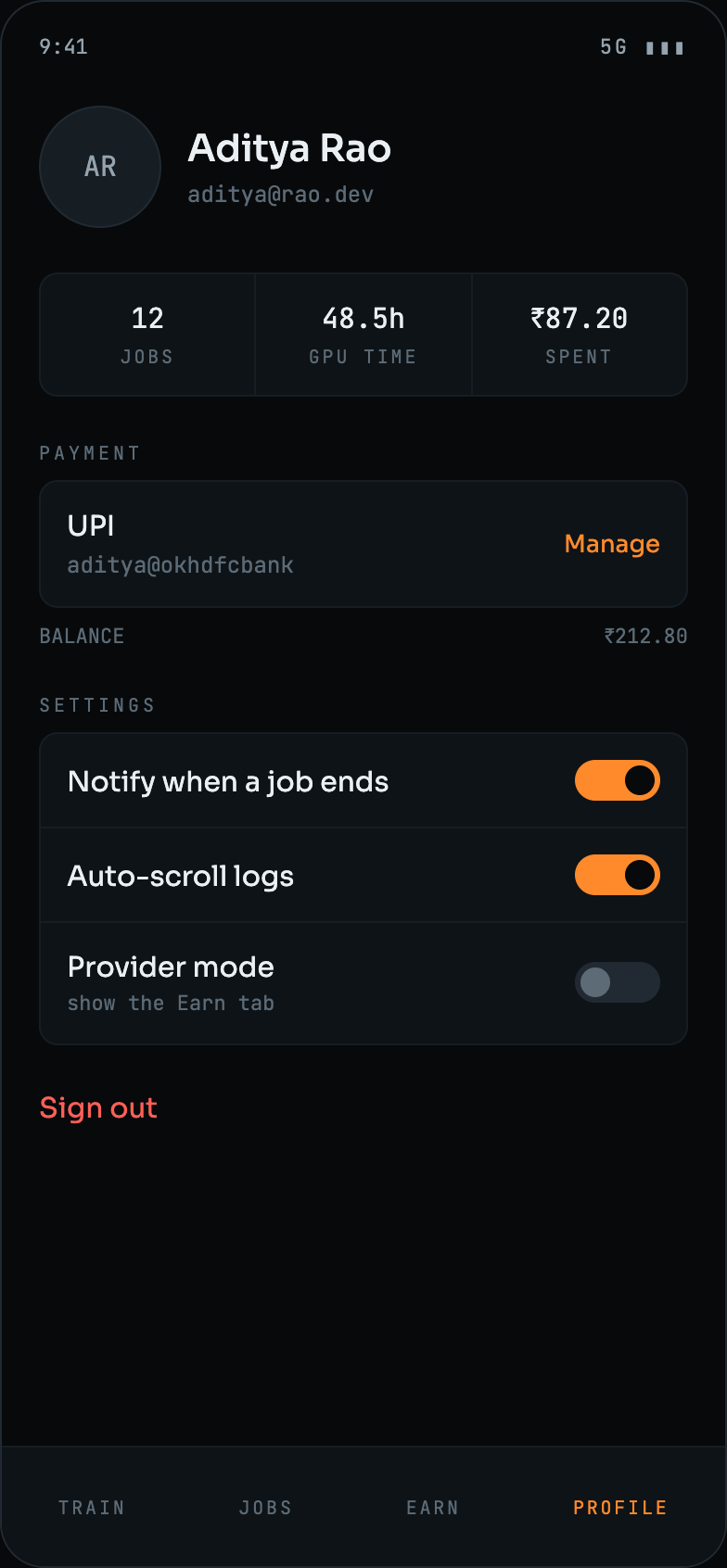
Provider mode is one toggle in settings. It opens the EARN tab, which reads the machine's GPU, VRAM and driver, names the tier it can serve, and estimates the day's earnings from last week's idle hours before asking anyone to go online.
Defined the problem around expensive GPU access and explored how unused GPU resources could be connected with AI workloads.
Studied distributed computing, GPU workloads, AI training requirements, and the needs of both workload owners and GPU providers.
Designed the platform around one app carrying both roles, a FastAPI backend, a PostgreSQL database, a tier-matching scheduler and sandboxed execution on the provider's machine.
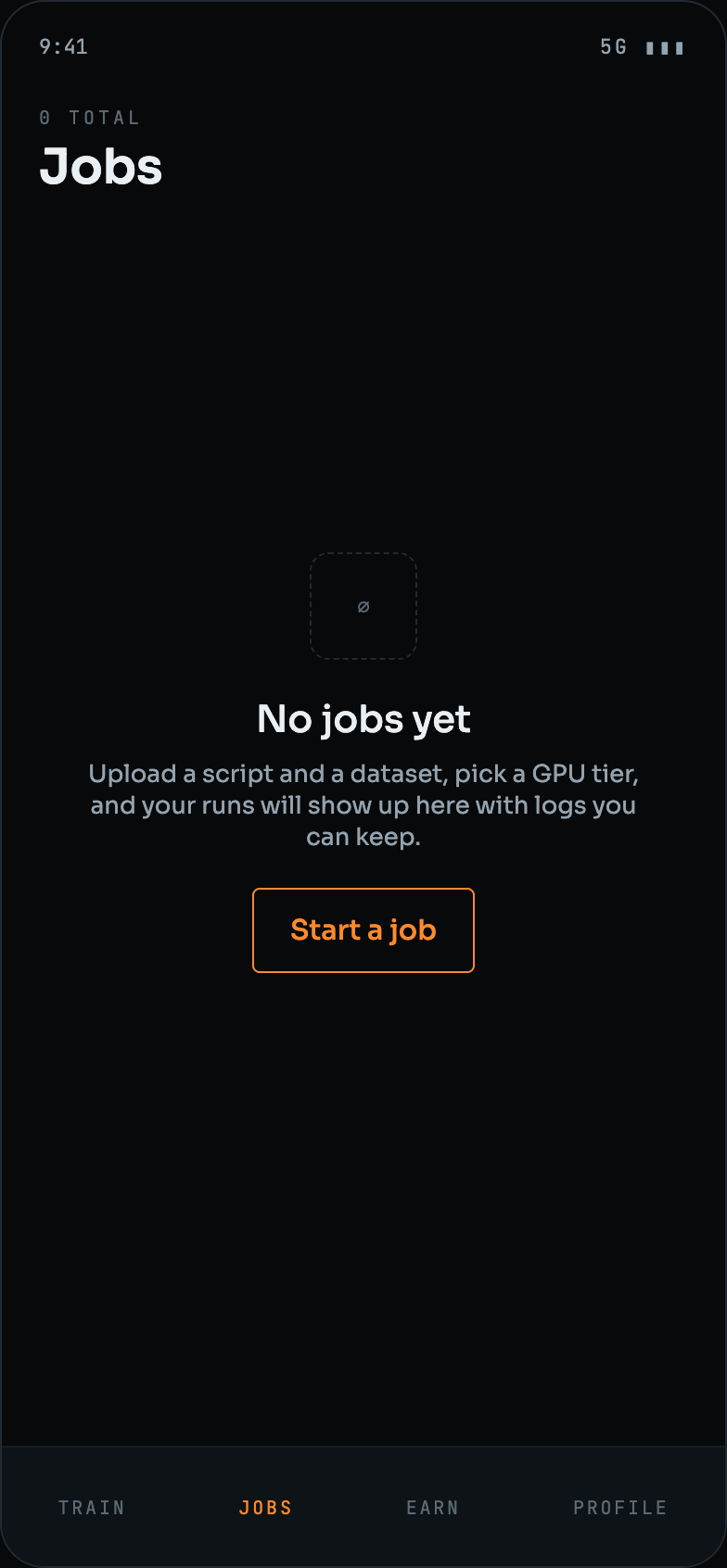
Drew every state a run can be in (queued, running, completed, failed), plus the job history, the provider's earnings view and the empty states, before any of it was built.
Implemented the platform components and connected client workloads with the backend services responsible for managing distributed resources.
Tested workload submission, trainer connectivity, resource availability, job execution and communication between distributed components.
Prepared the platform for connecting participating GPU machines with users requiring computational resources for AI workloads.
Four outcomes, one for each thing the platform set out to open up.
Three tiers, each on its own card with its rate, and the rate carried onto the start button. A run costs what an idle hour of someone else's hardware is worth, and the number is visible before anything begins.
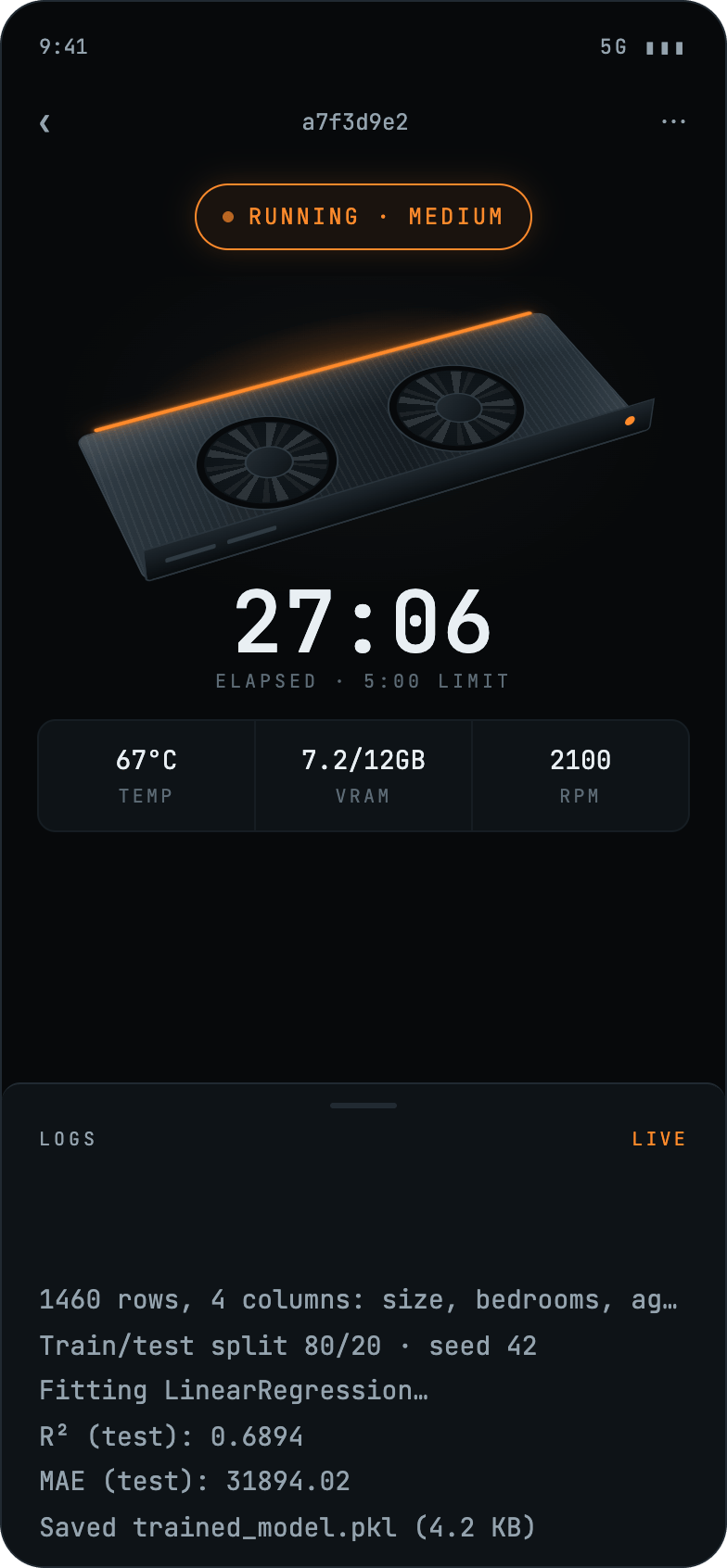
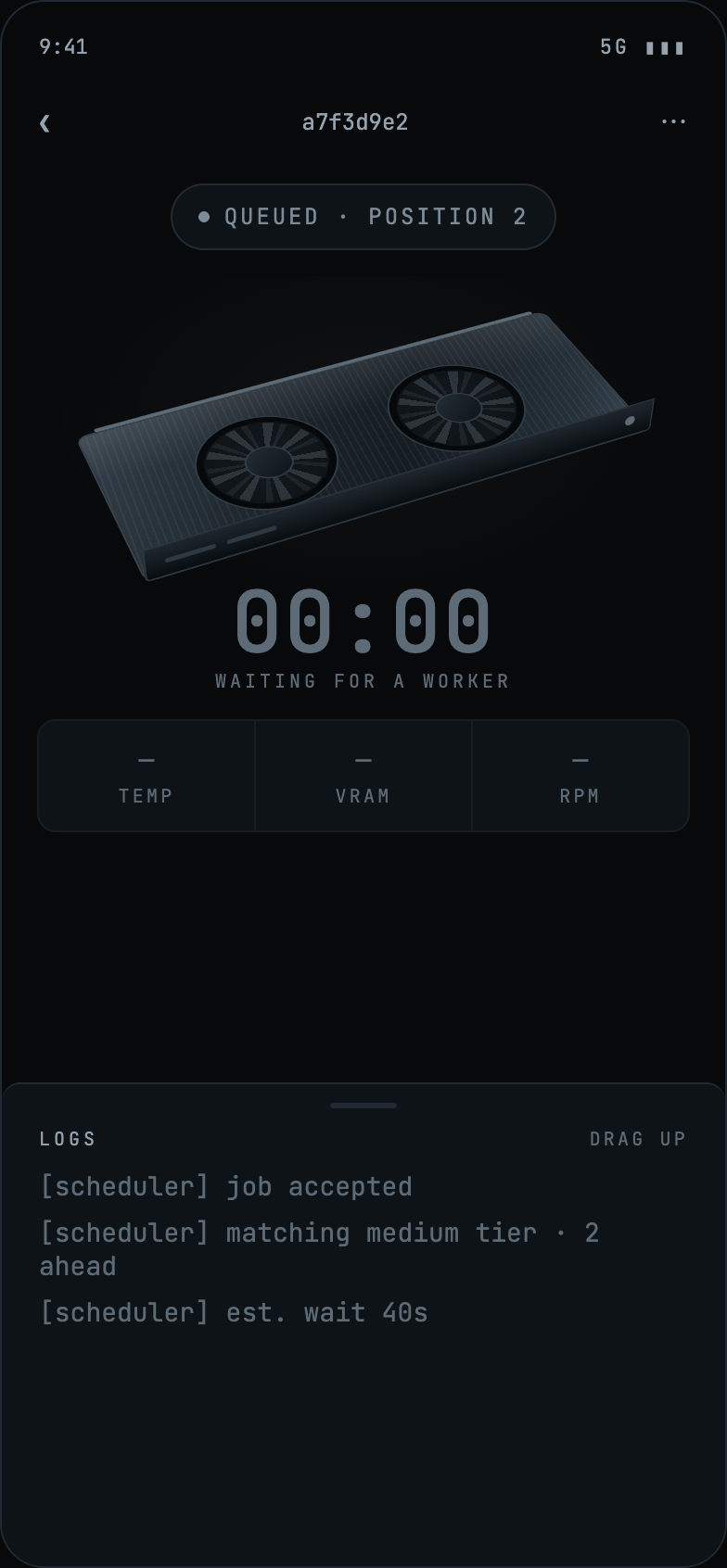
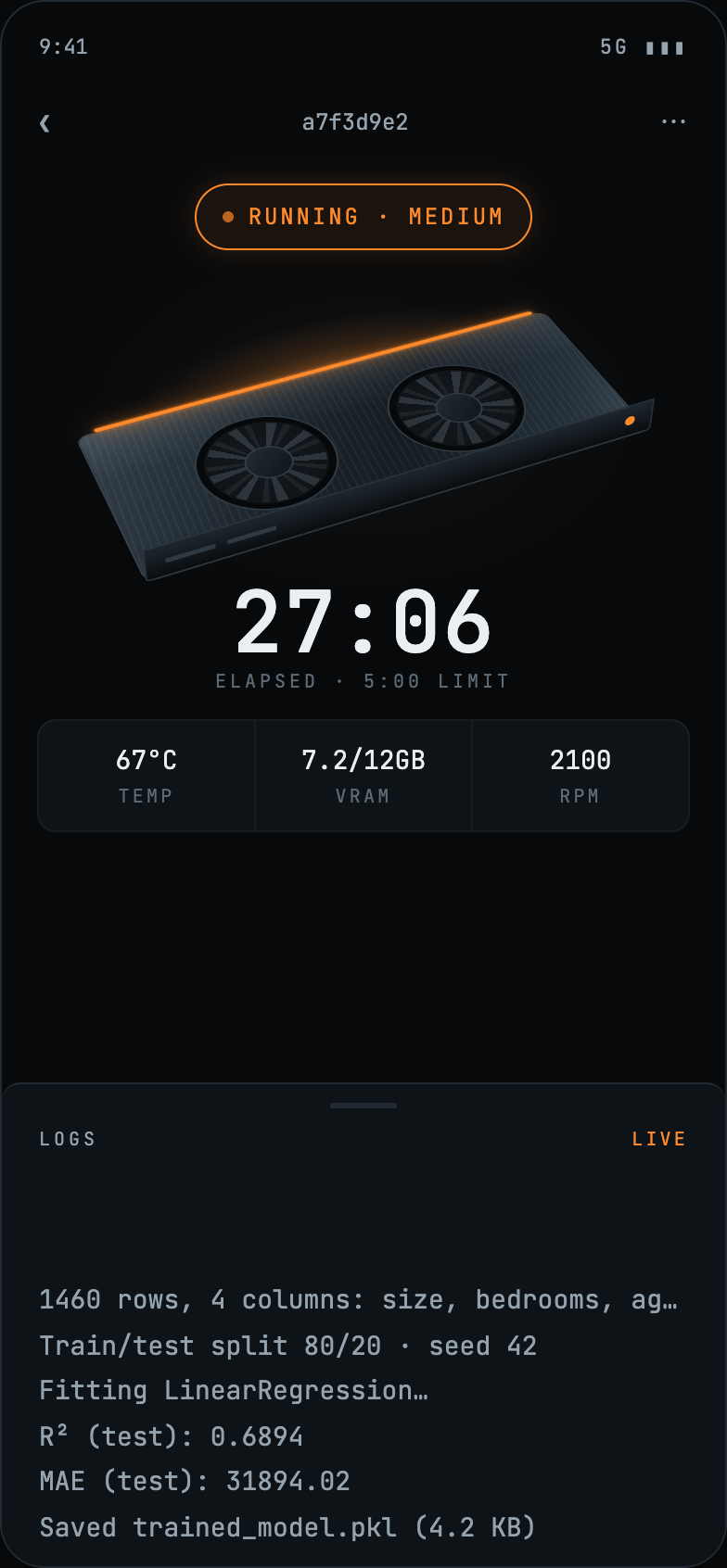
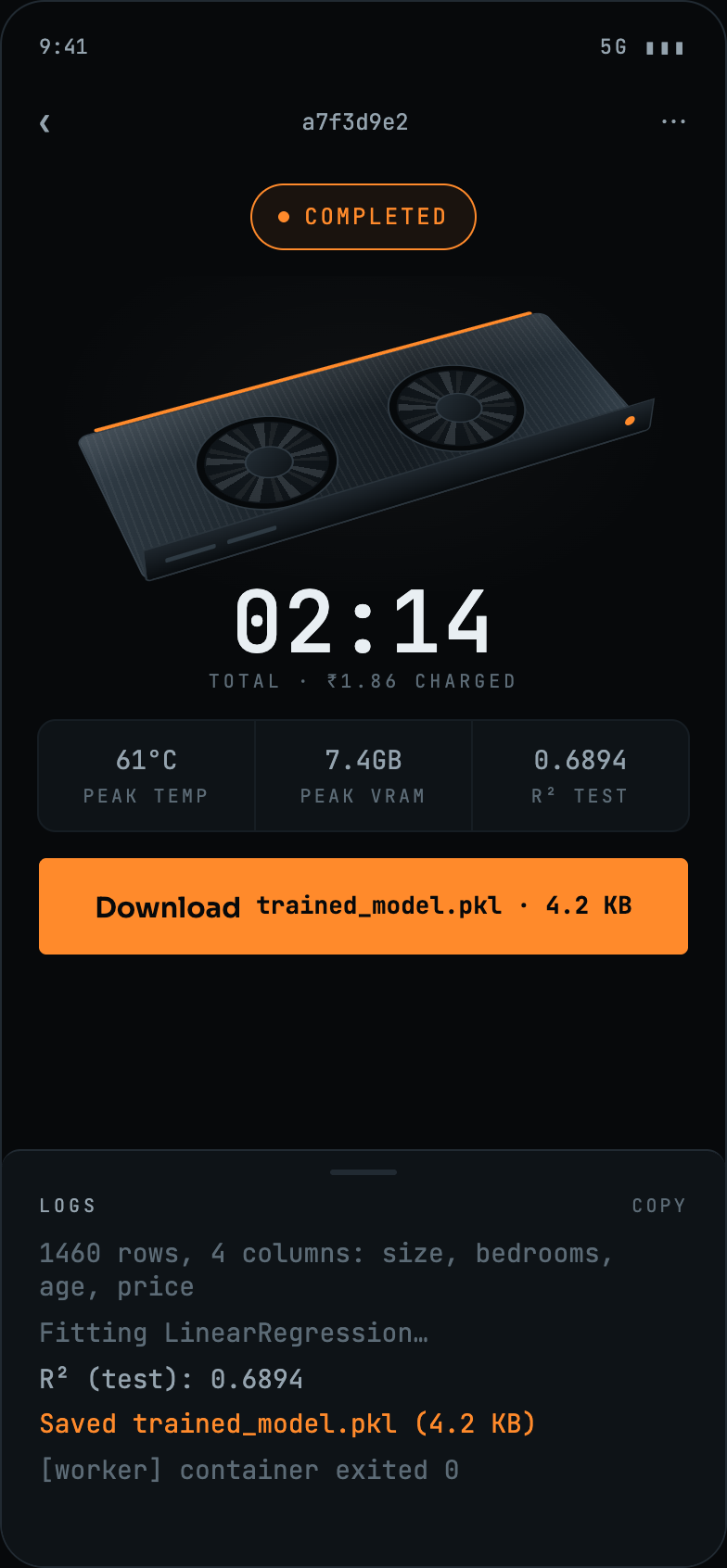
Elapsed time, GPU temperature, VRAM and fan speed update while the job runs, with the script's own output streaming underneath. When it finishes, the same screen hands over the trained model file.
A crashed run explains itself in a sentence anyone can act on, says exactly what the dataset does contain, and bills nothing. The traceback is kept for the people who want it, not led with.
Provider mode turns a machine that was already sitting there into supply. The EARN tab shows the GPU it found, the tier it can serve, what the day has made so far and how the hours were used.
Trisparc transformed the GaaS concept into a clear and practical platform for distributed AI computing. Folding both sides of the marketplace into a single app, and putting the price and the state of every run in front of the user, made complex GPU infrastructure easier to understand, access and use.
A dark, instrument-like system settled before the interface was built, so the hardware stays the hero and machine output never pretends to be a human voice.
Page background
Cards and sheets
Inputs
Hairlines
Accent, running state and primary actions
Errors and tracebacks
Headings and primary text
Log output
Timestamps and hints
4pt base, 20pt screen gutter
4 inputs, 10 cards, full only on status pills
Depth is surface lightness plus a 1px hairline
Reserved for live elements: a state, not a style
120ms taps, 240ms transitions, 2400ms breathing pulse
Minimum, including chip dismiss buttons
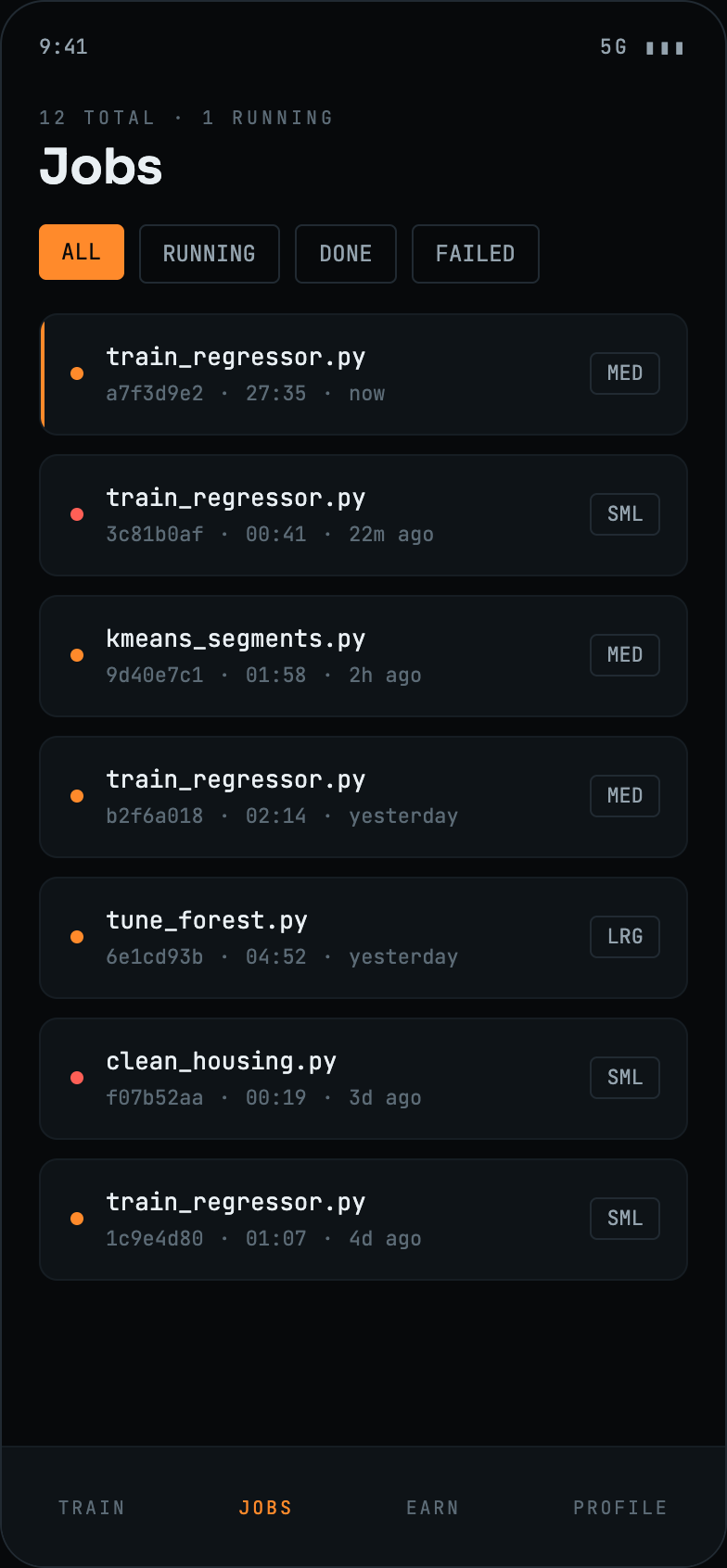
GaaS puts both halves of a GPU marketplace in one app: rent compute by the hour when you need it, sell the hours your own machine is wasting when you don't. Pricing is shown before a run starts, a job can be watched while it works, a failure explains itself and costs nothing, and going from buyer to seller is a single toggle. Share compute. Train AI. Scale together.